How to Send a Large File for Free (Without Uploading)
Email caps attachments at around 25 MB and cloud drives make you upload the file and create an account first. Here is how to send a large file for free without any of that.
Why big files are hard to send
Most email providers reject attachments over about 25 MB, so a single phone video is often too big. The usual workaround is a cloud service like Google Drive, Dropbox or WeTransfer, but those make you upload the whole file to their servers first, wait for it to finish, and usually sign in. For a one-off share that is a lot of friction, and your file sits on someone else's server afterwards.
The easiest way: send it browser to browser
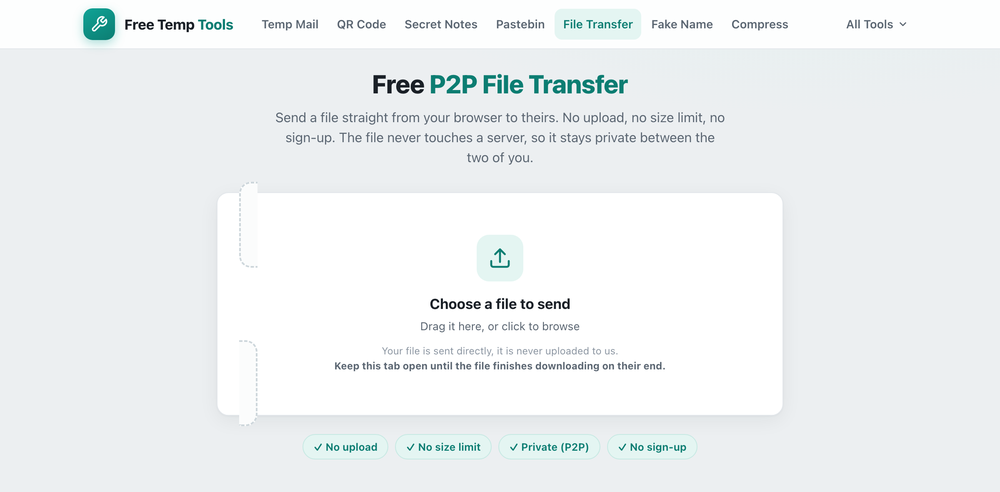
A peer-to-peer transfer sends the file directly from your browser to the other person's browser. Nothing is uploaded to a server in the middle, which means there is no size limit and nothing is stored anywhere after you are done. You pick a file, share a link, and it streams across when they open it.
Because the file never touches a server, this is also the most private option: only the two of you ever have it.
Step by step
- Open the file transfer tool and choose the file you want to send.
- Copy the link it creates (or show the QR code) and send it to the other person however you like.
- When they open the link, the file transfers directly. Keep your tab open until it finishes.
Things to know
- Both of you need to be online at the same time. It is a live, direct transfer, so it is best for sending to someone who is around now, not for leaving a file to grab later.
- There is no size cap. A 2 GB video is fine, it just takes as long as your connection needs.
- Phone to computer works too. Scan the QR code to open the link on another device.
If instead you need to send plain text or code rather than a file, a temporary pastebin link is quicker, and for a secret like a password use a self-destructing note.
People use it as a free WeTransfer alternative to send large video files, transfer files between devices such as from a phone to a computer, or share files without email or the cloud. No account, no upload, nothing stored.
Send a large file now, free
No upload, no size limit, no sign-up. It streams straight to the other person.
Open P2P File Transfer →