How to Generate Fake Names and Test Data
Whether you are testing a sign-up form, seeding a database, or simply do not want to hand a random site your real details, a fake name generator gives you a complete, believable identity in one click.
This page covers a complete set of test details. If you only need a street address, see how to generate a fake address.
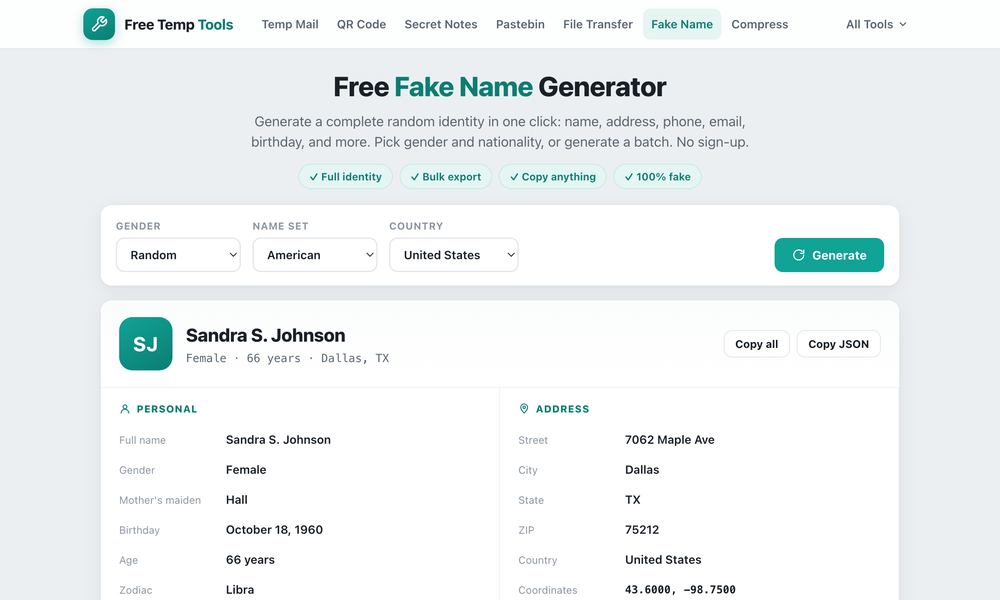
What a fake name generator creates
A fake name generator (also called a random name generator or random identity generator) builds a full fictional person: a fake name, a fake address, a fake phone number, an email, a date of birth, and even a Luhn-valid test card number. None of it belongs to a real person.
What you can use it for
- Test data for QA. Generate one identity or a bulk batch of dummy data for testing forms, sign-ups and databases, and export it to CSV or JSON.
- Filling out forms with a random name, address and phone number when a site wants details you would rather not give.
- Protecting your privacy on throwaway sign-ups, paired with a temporary email address.
- Placeholder characters for a story, a game, a mockup, or any sample data you need.
How to generate a fake identity
- Open the generator. A complete random identity appears instantly.
- Optionally set the gender, name set and country, then hit generate for a new one.
- Need many? Generate a bulk batch and export it as CSV or JSON.
Is the data safe to use?
Yes. Every detail is randomly generated and completely fictional, so it is safe for testing, demos and form filling. It is a test data generator, not real personal information, so do not use it to deceive anyone or commit fraud.
Generate a fake identity
A full random name, address, email and more in one click. Bulk export to CSV or JSON.
Open Fake Name Generator →