How to Create a Temporary Email Address
A temporary email address gives you a working inbox you can use once and throw away, so your real inbox stays clean and private. Here is how to create one in seconds.
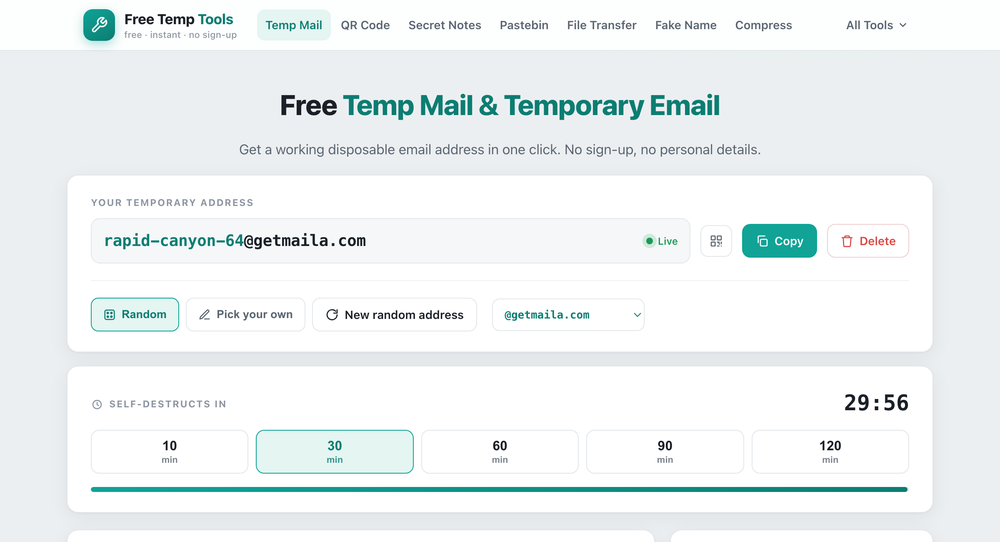
What is a temporary email address?
A temporary email (also called a disposable, throwaway or burner email) is a free inbox that works for a short time and then disappears, taking any spam with it. It genuinely receives mail, so you can use it to confirm a sign-up or grab a verification code, without giving out your personal address.
Why use one
- Avoid spam. Sites that ask for your email to unlock a download or discount often sell or leak it. A disposable address absorbs the spam instead of your real inbox.
- Free trials and one-time sign-ups. Use a throwaway address for something you only need once.
- Privacy. Keep your real identity and inbox separate from random services.
How to create one
- Open the temp mail tool. A random address is generated for you instantly.
- Copy it and paste it into the sign-up form on the site you are using.
- Incoming mail, including verification codes, appears in the inbox within seconds.
You can also pick your own name for the address, and choose how long it lasts, anywhere from 10 to 120 minutes, with a live countdown.
What not to use it for
A temporary inbox is public and password-free, and it disappears, so never use one for anything you need long-term or that matters, like your bank, main social accounts, or password resets you might need later. Use it for the throwaway sign-ups, and your real email for the things that count.
Signing up somewhere sketchy? Pair your temp email with a fake name and details so you are not handing over real personal information either.
People call it many things: temp mail, disposable email, throwaway email, burner email, fake email or 10 minute mail. They all mean the same thing: a free, no-sign-up inbox for verification codes, free trials and keeping spam out of your real inbox.
Get a temporary email now
A disposable inbox in one click. Pick how long it lasts, no sign-up.
Open Temp Mail →