How to Find Your IP Address (and What It Reveals)
Your IP address is how the internet finds you, and every site you visit can see it. Here is how to find your public IP, understand what it reveals, and how to hide it.
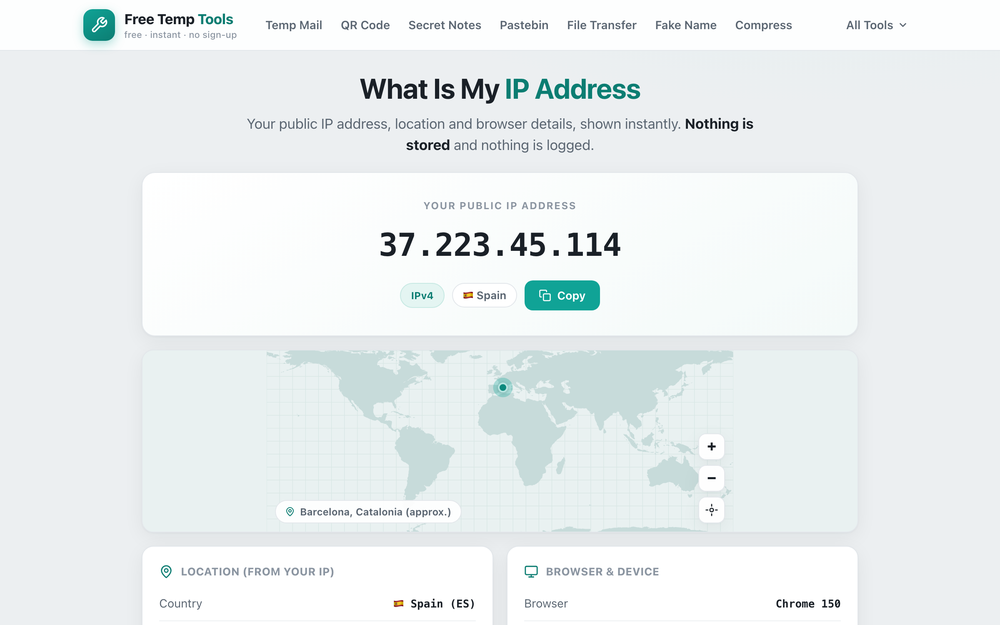
How to find your IP address
The fastest way to find your IP address is to open a what-is-my-IP tool. Your public IP appears instantly, along with whether it is IPv4 or IPv6, your approximate location, and your internet provider. There is nothing to install and nothing is stored.
What your IP address reveals
Any website or app you use can see your public IP, because it is needed to send data back to you. It shows your internet provider (ISP) and a rough location, usually your city or region, and whether you are on a home connection, a datacenter, or a VPN. It does not reveal your name or your exact home address.
See your browser and device details too
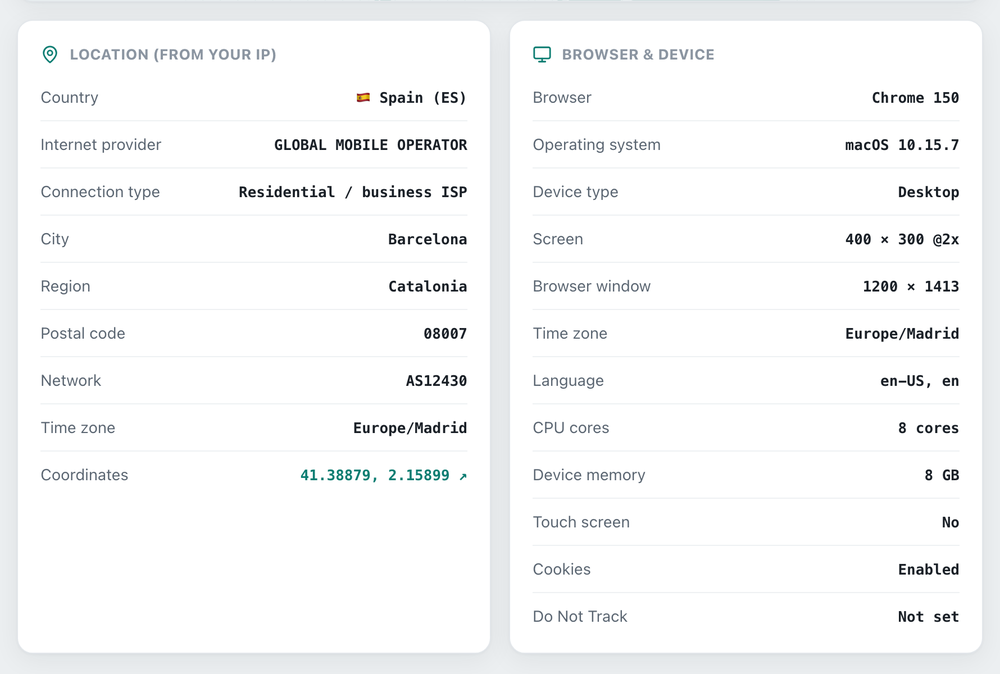
The same page also shows what your browser and device reveal about you, all read on your own device. In one glance you can check what browser you are using and its version (from your user agent), your operating system, and whether you are on a phone, tablet or desktop.
It also lists your screen resolution and window size, your time zone and language, your CPU cores and device memory, whether cookies are enabled, and your Do Not Track setting. Together these make up part of your browser fingerprint, the mix of details a website can use to recognise your browser. Nothing here is stored, it is shown to you and gone when you close the page.
IPv4 vs IPv6
IPv4 is the older format, four numbers like 203.0.113.42. IPv6 is the newer, longer format such as 2001:db8::1, created because the world ran low on IPv4 addresses. Your connection may use either, or both, and the tool shows whichever one you are connected with.
How to hide or change your IP address
To hide your IP address, use a VPN or proxy, which routes your traffic through another server so websites see that server's IP instead of yours. Restarting your router can also change your IP if your provider assigns them dynamically, and on mobile, toggling airplane mode often gives you a new address. Checking this page again with a VPN on is a quick way to see if your VPN is working.
Find your IP address
See your public IP, location and browser details instantly. Nothing stored.
Open What Is My IP →